Plex loading local subtitles

Plex tends to do a good job of loading local subtitle files (usually .srt) and it can even automatically load subtitles for you [2]. But sometimes, it will not load a file that is in your directory with your video file.

The solution is likely a quick fix: add the Language code to the subtitle file. From Plex’s support [3]

Movie_Name.avi
Movie_Name.[Language_Code].srt

Example:

/Movies 
     Avatar (2009).mkv 
     Avatar (2009).en.srt

References

  1. http://support.plex.tv/articles/categories/using-subtitles/
  2. https://support.plex.tv/articles/200288597-fetching-internet-sourced-using-your-own-subtitle-files/
  3. https://support.plex.tv/articles/200471133-adding-local-subtitles-to-your-media/
Posted in How-To, Plex | Tagged , | Leave a comment

Nextcloud Snap Installation

The Nextcloud installation page has two sets of instructions now: automatic and manual. Previously on this website, I have described the manual steps to setting up Nextcloud. It is a good learning experience and worth a try, but even better is the automatic installation using snaps.

“Snaps are containerised software packages that are simple to create and install. They auto-update and are safe to run. And because they bundle their dependencies, they work on all major Linux systems without modification.” [source]

Now, the steps are almost one step:

sudo snap install nextcloud

Reaching via different host names

By default, the only allowed hostname is “localhost”.If you are accessing your server by another name (e.g. 192.168.1.8 or nextcloud-server.com), you need to add the trusted domains.

If you access the server on your Nextcloud server machine, the website will prompt you to add the trusted domains.

Otherwise for a quicker setup, you can add your trusted domains via the command line.

sudo nextcloud.occ config:system:set trusted_domains 1 --value=192.168.1.8
sudo nextcloud.occ config:system:set trusted_domains 2 --value=nextcloud-server.com
sudo nextcloud.occ config:system:set trusted_domains 3 --value=www.nextcloud-server.com

Verify the results:

cat /var/snap/nextcloud/current/nextcloud/config/config.php

Results

array (
   0 => 'localhost',
   1 => '192.168.1.8',
   2 => 'nextcloud-server.com',
   3 => 'www.nextcloud-server.com',
),

External Hard Drive

In order to point your Nextcloud’s data directory to an external hard drive, follow these steps, assuming your external hard drive and new Nextcloud data directory is located at:

/media/<user>/<hard_drive_name>/nextcloud_data_directory

Log into your server first and set up an admin account.

Make sure your Nextcloud server is enabled.

sudo snap enable nextcloud

Connect the remove-media snap plug so that the Nextcloud server can access your external hard drive.

sudo snap connect nextcloud:removable-media

Change the Nextcloud server’s config file to point to the new data directory, so do

vi /var/snap/nextcloud/current/nextcloud/config/config.php

And change  the value of “datadirectory” to

'datadirectory' => '/media/<user>/<hard_drive_name>/nextcloud_data_directory',

Now, disable the Nextcloud server.

sudo snap disable nextcloud

And move all the data to the new data folder (including hidden files!)

sudo mv /var/snap/nextcloud/common/nextcloud/data/* /media/<user>/<hard_drive_name>/nextcloud_data_directory
sudo mv /var/snap/nextcloud/common/nextcloud/data/.* /media/<user>/<hard_drive_name>/nextcloud_data_directory

Set the proper permissions so your Nextcloud server can access the hard drive and not complain:

sudo chown -R root:root /media/<user>/<hard_drive_name>/nextcloud_data_directory
sudo chmod -R 0770 /media/<user>/<hard_drive_name>/nextcloud_data_directory

Re-enable your Nextcloud server

sudo snap enable nextcloud

Enabling HTTPS

Before using snap, verify that your domain name directs to your server. Then, use this simple snap command that will generate a Let’s Encrypt SSL certificate automatically.

sudo nextcloud.enable-https lets-encrypt

Other

If you cannot access the files after moving to the external hard drive, you might consider reading about dropping your mysql data tables. [link]

If you want to keep your nextcloud.log file on your local disk, because it will move by default with your data directory. [link]

References

Posted in How-To, Nextcloud/OwnCloud | Tagged , , , , , , , | 3 Comments

Sideloading Apps onto Fire TV

Since the Amazon Fire TV is a device that runs Android, you can install any Android app onto your Fire TV, but to varying degrees of success.

How to

To get apps onto your FireTV, you can do it the manual way or the easy way.

Manual: Download an APK from an APK websites (e.g. APKPure or APK4Fun)*. Copy onto an SD card and insert the SD card into your Fire TV.

Easy Way: Follow the steps in this Make Use Of article. In short, you use the apps already downloaded on your phone and it will copy and install the apps onto your Fire TV.

Problems

You will probably hit problems with your downloads though, since they were not designed for the Fire TV.

  1. If an app requires Google Play Services, it will not open. You will need to try installing Google Play onto your Fire TV.
  2. If an app is not designed to play on a TV, the app will be stretched and unclear.

Example Apps

  • BTN2Go – Horrible aspect ration
  • MSG GO – Requires Google Play Services

Footnotes

  • * These APK websites can provide compromised versions of apps, do use at your own risk.

References

Posted in Hardware, Reviews | Tagged , , , , , , , , , | Leave a comment

Setting up the Etekcity WiFi Smart Plug with the VeSync app and 2.4 GHz connection

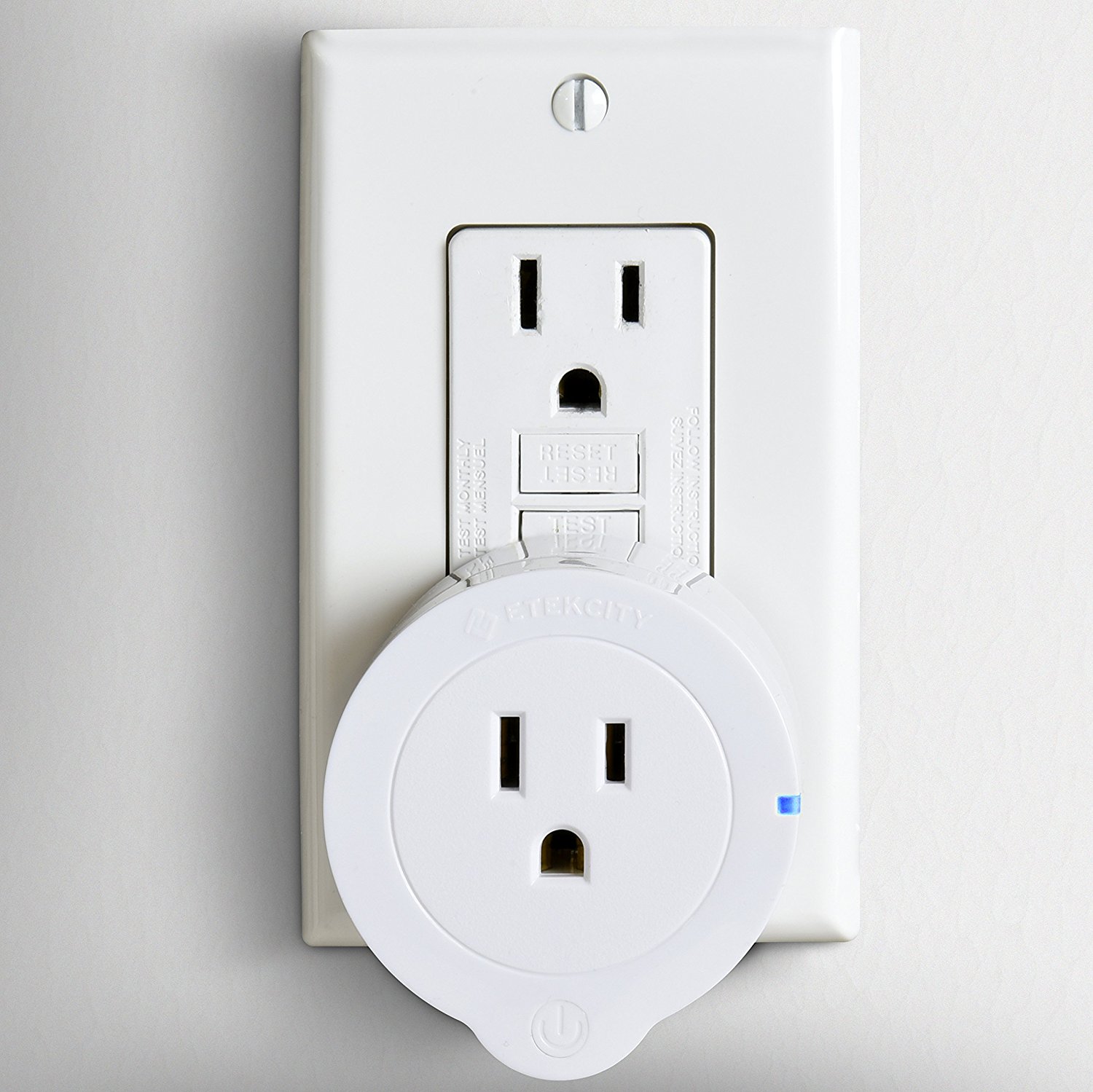
wifi outlet in outletThe Etekcity WiFi Smart Plug Mini Outlet with Energy Monitoring (2 Pack), Works with Amazon Alexa Echo, No Hub Required, 1 Minute to Set Up, White is a good smart outlet. It goes for about $30 for a pair [1].

I saw they had a claim that installation is under 1 minute, but that was not my case. It took about 15 minutes to figure it out the first time. Hopefully, this helps.

There is no instruction manual that comes in the box with the outlet, just some text on the back to download the VeSync Outlet on Google Play.

  • Tip – Do not download their other apps, they will not work with your outlet.

In the app, assuming you want to use the outlet with Alexa, create an account.

  • Tip – Unless you are using the timer in the app, buying the outlet to just use the app to turn the lights on/off would be a waste of money. I don’t even recommend it since the app is junk.

When adding your outlet to the app, follow the instructions in the app but select APN. The other way to app outlets seems like it is just broken.

Next comes the major problem that causes confusion with these outlets: they only support a 2.4 GHz connection.

  • Background – A new, modern router will usually have a 2.4 GHz and a 5 GHz connection. Default settings on the router will also set the name and password on these two connections to be the same. When your new phone connects to your network, it will be on the 5 GHz connection, but the app will complain that you need to connect to a 2.4 GHz connection.

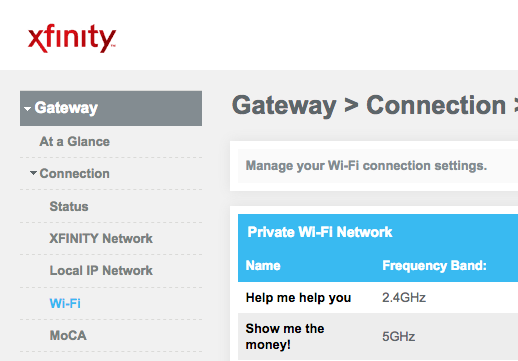
You will need to go into your router’s admin page, find your networks, and rename your main WiFi network into two different WiFi networks.

xfinity admin page

  • Security Tip – If your router supports multiple networks, create a network and password just for your Internet of Things (IoT) devices. If your router will also prevent local network access, even better.

On your phone, connect to the 2.4 GHz connection and follow the rest of the steps in the app.

Then to get it working with Alexa, follow VeSync’s instructions.

References


Posted in Android Apps, Hardware, How-To | Tagged , , , , , , , , | 19 Comments

UPnP on Plex

Getting your Plex server to use UPnP (Universal Plug and Play) will increase speeds, along with allowing it to run on more clients. For example, one Smart TV’s Plex app did not work until UPnP was enabled on the server’s home network.

Identify if you have the problem

These are all symptoms of not using UPnP:

  1. While the error message of “<Computer> is offline or unreachable” is vague, if other clients are working, this might solve your problem.
  2. If you get “Indirect Connection” warning dialogs, then this will fix your problem.
  3. To determine if UPnP is on, check in your Plex Server Settings if Remote Access is enabled. Follow this good Plex support article.

Enabling UPnP

Enable UPnP on your server.

  1. Windows instructions

Port Forward 32400 on your to your Plex Media Server computer.

Refresh your Plex Server Settings and the red globe should become a green globe!

Sources


Posted in How-To, Plex | Tagged , , , , | Leave a comment

A Cruise Vacation’s not obvious and not needed essentials

These are all of the things I wanted when I was on my last cruise. You can decide what will help you on your next cruise.

Offline Data

Offline map of your ports will be helpful when you are walking around.

Offline TV Shows and Movies for passing time while over the ocean. Netflix and Amazon Video both offer this.

Blu-Ray or DVD player with HDMI to hook up to your state room TV.

Offline music for dancing in your state room.

Audiobook or podcasts for listening and learning.

No network required cell phone games.

Better state room

Fan to keep cool.

Bluetooth speaker to dance to loud music instead of a cell phone speaker.

Old hotel key or credit card to keep the lights and AC on when you are out of the room.

Hot water kettle for hot water or tea.

Wine bottle opener for opening wine, but they will provide a cheap one if you ask.

Communication

FireChat (android) (iOS) is an app that works over Bluetooth and Wi-Fi, but no Internet connection is required. The more people that use it, the larger its network gets.

Walkie talkies for talking with each other but probably only useful on the smaller ships.

International phone (or T-Mobile for data) so you can call home or local businesses at port.

Fun and Games

Balance app on phone to see how much the boat is rocking.

Binoculars to look out your window at stars, the moon, and other ships.

Poloraid camera so you can capture the memories and enjoy them privately and immediately.

Health

Hand sanitizer because everything could be dirty.

Spray sunscreen so you can quickly apply when you are on the deck or out at shore. Better than wasting time with the lotion sunscreen.

Extra clothes for changing a lot because there is a lot of fun in dressing up and getting out of sweaty clothes.

Other

Gatorade power mix so you don’t have to drink just water and lemonade (no alcohol  and soda plan).

A money clip, see through phone case, or credit card pocket for phone because you only need to carry around your phone and room key while on the ship.

Posted in For Fun, How-To | Tagged , , , , , , | Leave a comment

Google Play on Kindle Fire

The blog post on SaintLad.com made installing the Google Play Store and Services onto a new Amazon Kindle very straightforward.

Helpful Advice

  1. This is a short link to visit to go directly to his website: https://goo.gl/YrJoSy
  2. apkmirror might say a newer version for an apk is available. Ignore that and install the links so they are all compatible with each other. Google Play can update itself later.
  3. Restart your device if you cannot press the “Next” or “Install” button.
  4. This does not work on Household/Secondary accounts.
Posted in Android, Reviews | Tagged , , , , , | Leave a comment

Best Nextcloud 11 Links

Getting Nextcloud ready is lots of fun, but getting it to a very stable state is tedious. I gathered the best of the best resources on the web from putting it up to backing it up.

Installing LAMP server

Follow it! It works for Linux Mint and Mariadb > MySQL.

Installing Nextcloud, Let’s Encrypt for HTTPS, Redis Cache

I was very impressed with the ease at installing and the correct suggestions, like separating the nextcloud config and nextcloud-data folders.

Mounting External Hard drive

Representing this site!

Backups with rsync (daily, weekly, monthly)

I tried many other solutions like fwbackup, bacula, etc. But doing it on the command is going to give you the most options for doing it correctly.

Posted in How-To, Nextcloud/OwnCloud | Tagged , , , , , , , , | Leave a comment

Red screen at night on Linux

f.lux and Redshift are the two major players for making your laptop screen turn red. I had f.lux working on Linux Mint but recently upgraded to Linux Mint 18 and it stopped working. I cannot get the applet to show so I cannot turn f.lux on or off.

My workaround was to install Redshift. It does not have a GUI, so it is even less customizable, but at least you get a red screen. It can easily be installed from the Software Manager and you need three packages to get it to work. The Goeclue2 is needed or Redshift will not start!

  • Redshift
  • Redshift-gtk
  • Geoclue2

If you know how to get f.lux to start on Linux Mint, let me know!!


Posted in How-To, Linux | Tagged , , , , | Leave a comment

Have Linux access Windows hard drive again

In Windows 8 and 10, Microsoft added a “Fast Startup” feature that saves a state of the computer to disk. This is like Hibernation, which for a while has prevented Linux from mounting a Windows partition. This new feature makes hibernation much more frequent, so dual-booting machines will start to see this much more often.

In this source, how to disable Fast Startup is explained. I also suggest disabling Hibernation when you close the lid, since Linux will boot when you turn the screen back on.

Sources

Posted in How-To, Linux, Windows | Tagged , , , , , | Leave a comment

Brother printing blank pages on Linux

The Brother HL 2140 is a good printer but getting it to work on Linux Mint is a bit of a hassle. There are many forums online with the problem of the Brother printing many blank pages. Finally, I found one with the solution.

First, be familiar with the CUPS page on your machine: localhost:631/jobs/. Here, you can see/add/remove your printers and your print jobs. The CUPS drivers were installed by default for me on Linux Mint 18.

On this website, you can add a printer, for which it should detect your Brother printer on USB. When selecting the driver though, you need to select “Brother HL-2140 Foomatic/hpijs-pcl5e“. For me, it was no longer recommended, but it was the only driver that did not print only blank pages. A test page will verify your printer is working.

After this, you should try out Google Cloud Print so you can print from your phone and when you are on the road to your home printer.

Sources

Posted in How-To, Linux | Tagged , , , | Leave a comment

Plex Media Server Review

I am very impressed with the Plex Media server. It runs on all your operating systems but I have it running on Linux. It sets up the server and accessing the server through any of the Plex apps. It then will scan your folders on your hard drive, gather TV Shows into series and seasons, download an image for each TV Show or movie, description for each, and then keep track of your watched status. It works at home on a local network, on your phone, or at someone else’s house. The streaming is fluid. As long as you keep your laptop on, you got a home media server ready. It also is good for streaming your own, home videos to your TV. I highly recommend it.

They offer a Plex Premium account that has good features like offline content for smartphones and syncing with devices and the cloud.

Problems

  • Have needed to restart my laptop after the server had trouble indexing.
  • Lost TV show progress when upgrading the Plex Media server.

Sources

Posted in Plex, Reviews | Tagged , | Leave a comment

Google Ad Words Review for increasing page views

Google Ad Words was an interesting experience. I had a $20 budget that I spread across multiple weeks. My blog has a specific audience so I had to buy views for specific terms like “OwnCloud”. There are many features like campaigns if you are an actual business trying to see what ads are the best bang for a buck. They also make sure you know you can call Google and get assistance setting up your ad campaign, along with coupons.

The results? Really good. I saw 200-400% increase per day. I had the best months, weeks, and days for page views in my blog’s history. Most of my views were for only a few, popular articles. After it ended, my page views went back to normal.

Posted in Reviews | Tagged , | Leave a comment

Picking a Linux Distro for a Server

An old laptop that is going to be running a home server is going to be limited on computing resources, so it is worth looking into running your server with as little overhead as possible.

I was looking for the server to have less software so upgrading would be less of a hassle. Less software packages means less downloads, less chance of problems, and less dependency issues. Less also means more performance!

I tested out the Ubuntu Server since it seemed to be the most well built of the Linux server distros. I was not impressed.

The Live USB created in Linux Mint did not load. I needed to flash from Windows with USB Pen Drive and with Lili USB Creator. During installation, you need to select the type of server you want to run and the programs you will need, something I was not ready to select. After that, Ubuntu Server was installing GRUB onto the USB flash drive. I forget how I got around that but the installation would hang when creating the ext2 file system. After 1-2 hours to complete the installation, I had a command line. Trying to experiment with just a command line is annoying. I want a GUI to do updates, install software packages, use Google Chrome.

So after all of that, I wanted a normal Linux distro with some overhead of a GUI, a web browser, print drivers, and everything else. So I put Linux Mint on the laptop and installed server software that I needed, when I needed it.

Sources

Posted in Linux, Reviews | Tagged , , , , , , | 1 Comment

Raspberry Pi OpenVPN Server

I heard about the Raspberry Pi VPN on the Security Now! Podcast, but I found it a few months later when looking how to set up a VPN on (you guessed it) a Raspberry Pi. The set up is almost super easy. There were prompts for how to configure the Raspberry Pi and what domain I would be using. You do need to have the Pi configured with a Pi OS, along with an Ethernet cable, micro SD card, USB charger, and one-time uses of monitor, HDMI cable, USB mouse, and USB keyboard.

If you do not have a dynamic IP address or a domain name for your home, you will have to redo the setup when your ISP changes your home’s IP address. I opted for using a domain name but the OpenVPN configuration shows my IP address. I will update this post when my IP address changes.

Your VPN’s download speeds will be equal to your home’s upload speed, with added lags due to running through a VPN and other network activity at home.

This is great for getting around public WI-FI blocking of Netflix and Amazon Video, since a paid VPN will be blocked by these providers. Nobody should be blocking your home’s IP Address (if they are using blacklists).

Sources:

Posted in Hardware, How-To, Reviews, Security | Tagged , , , , , | Leave a comment